
Users, SSO and two-factor
Updated 2026-10-22 · Pharos 1.0.1
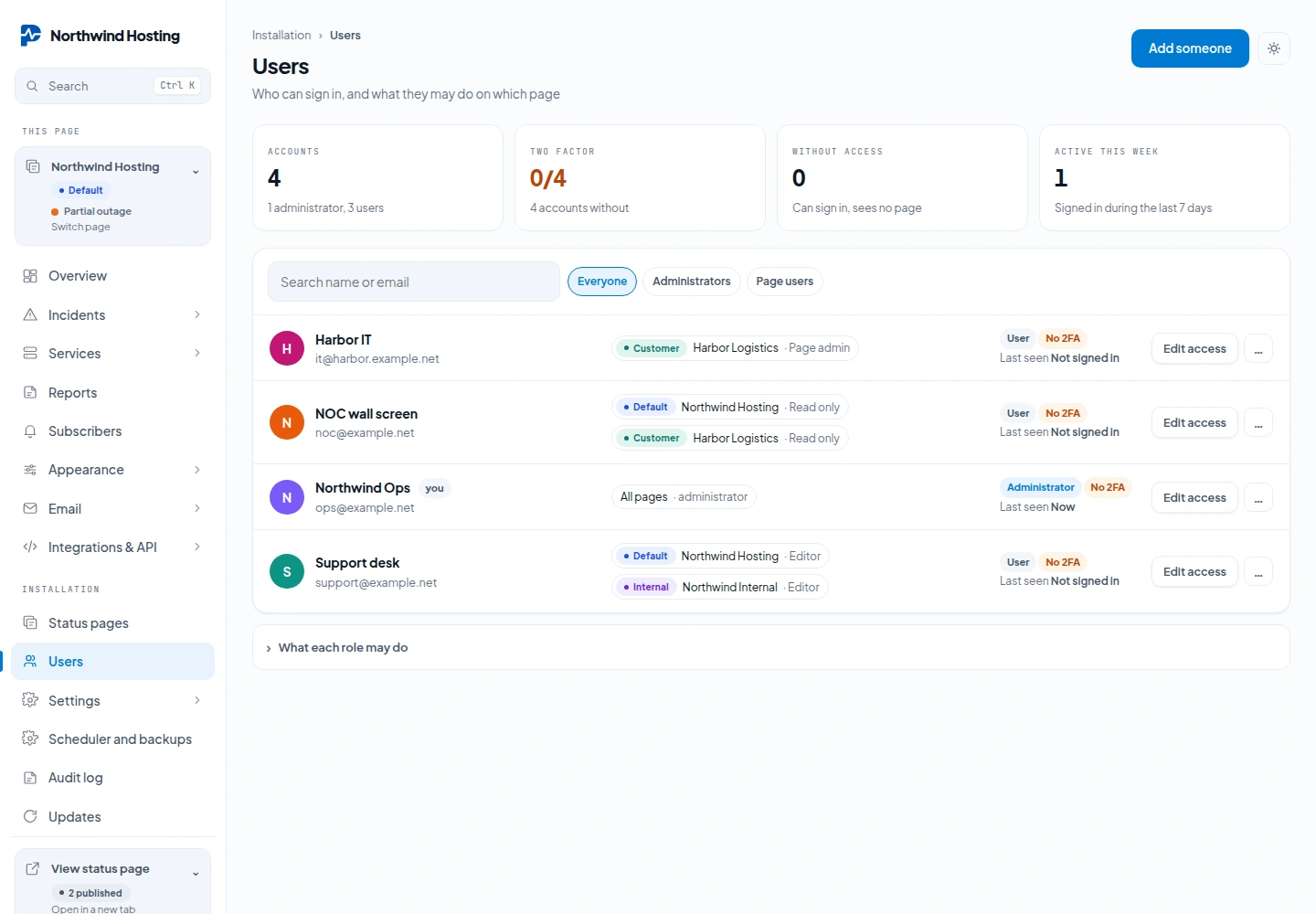
There are two kinds of account. Admin manages users, updates, API tokens, branding, mail templates and the audit log on every page; user works on the pages assigned to them, with a role per page. The first account is an admin. Login is throttled at five attempts per email and IP with a five-minute lockout. Passwords are at least twelve characters.
You cannot delete the account you are signed in with, and you cannot delete the last account: locking everyone out of a self-hosted install is not recoverable through the interface. Forgot password? on the sign in screen mails a link to set a new password, which needs working mail settings. Without mail, recover from the shell:
php artisan pharos:user [email protected] --password='a-new-long-password'
Roles per status page
Administrators see every page. Everyone else gets a role on each page they need: Read only views the page's screens and delivery history without check targets or integration credentials; Editor manages components, services, incidents, maintenance, subscribers and destinations; Page admin adds that page's branding, email, mail templates and API tokens. Installation settings, licences, users and creating or archiving pages stay with administrators. Lowering or removing a role takes effect at once, also in open sessions.
Two-factor
Each user turns on TOTP two-factor for their own account under Profile: scan the QR code with any
authenticator app, confirm one code, and it is on. It is asked for at every sign-in afterwards, including a
sign-in through single sign-on, so a second door never skips the gate. Lost the device? Turn it off for that
account from the shell with php artisan pharos:2fa:disable [email protected].
Switching it on also gives you ten recovery codes, shown once. Each one signs you in a single time when the authenticator app is not to hand.
A code from the app works once. Enter the same code a second time, for example because you signed out and straight back in, and Pharos answers: That code has already been used. Wait for the next one. Nothing is wrong with your app or your clock. Wait until the app shows a new code, at most 30 seconds, and enter that one. A code that is simply wrong gets a different answer: That code did not match.
Passkeys are a separate way to sign in. They do not replace two factor: an account with two factor on is asked for its code after a passkey too.
Single sign-on (OpenID Connect)
Under Settings → Single sign on you can point Pharos at any OIDC provider: Authentik, Keycloak, Google Workspace, Entra ID. Fill in the issuer URL, client id and secret, register the redirect URI it shows you, and a Sign in with … button appears on the login screen.
People sign in, they do not appear. Someone signing in through your provider needs an account here already, matched on their verified e-mail address; an address nobody here uses is refused, not turned into a new account. Password sign-in keeps working, so a provider that is down never locks you out. The switch is tested the moment you save it; a provider that cannot be reached will not switch on.