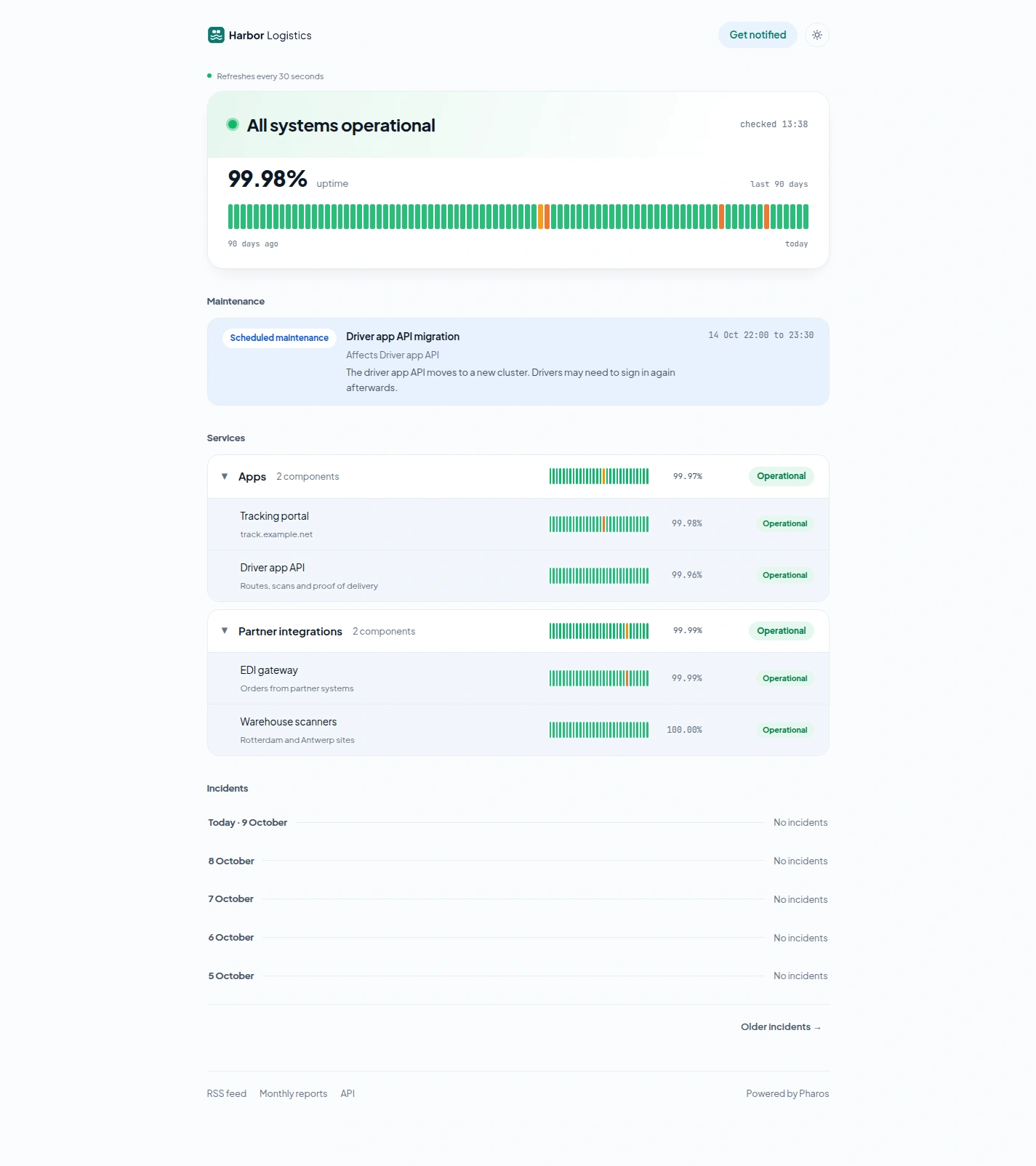
The public page
Updated 2026-10-22 · Pharos 1.0.1
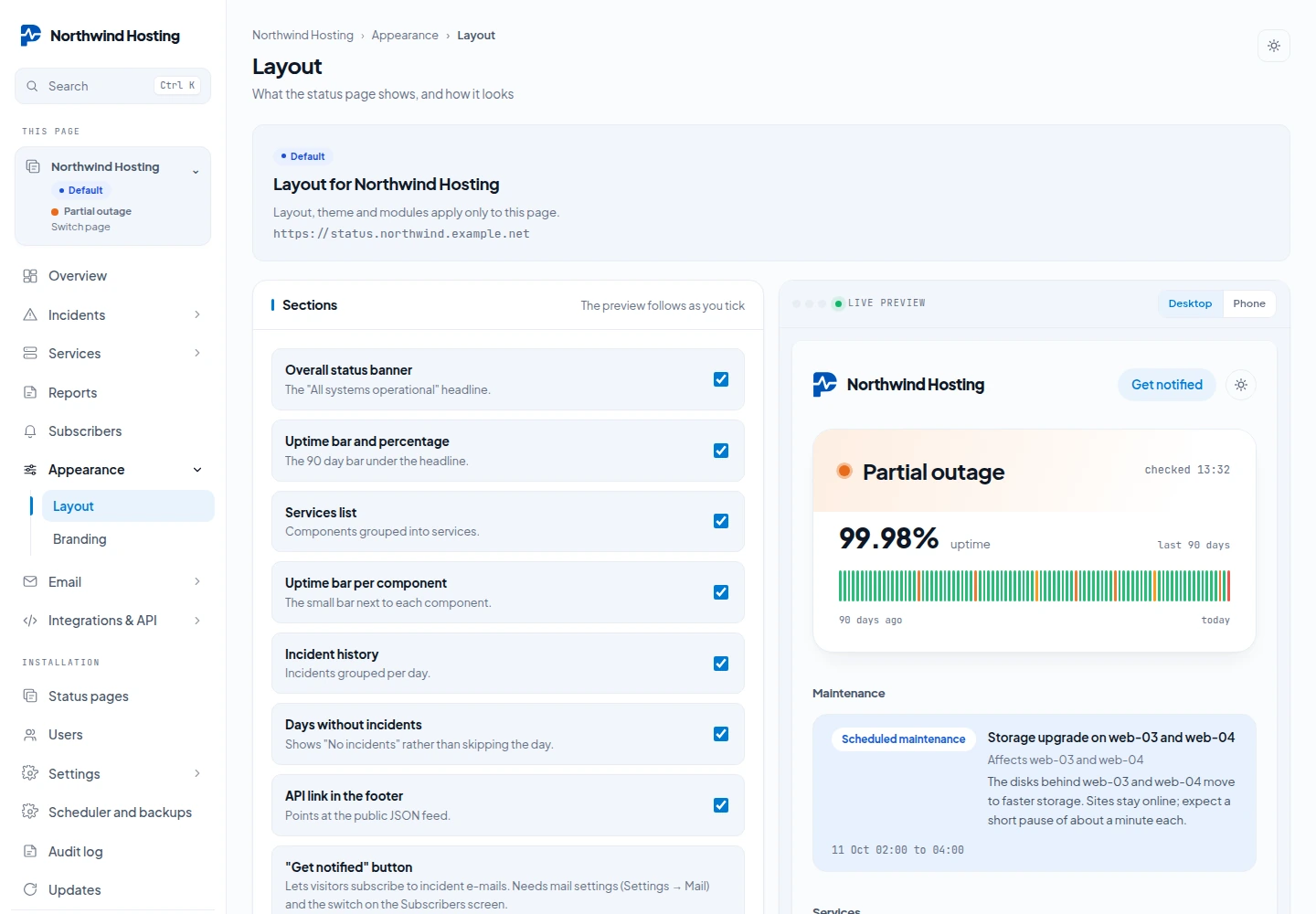
Every section is a switch under Appearance → Layout, and all of them default to on.
| Toggle | What switching it off hides |
|---|---|
| Overall status banner | The headline, the coloured dot and the “updated” stamp |
| Uptime bar and percentage | The big figure and the combined 90-day bar |
| Services list | Every service and component row |
| Uptime bar per component | The small bars and per-component figures |
| Incident history | The whole incidents section |
| Days without incidents | Quiet days are skipped instead of printing “No incidents” |
| "Get notified" button | The button that lets visitors subscribe |
| API link in the footer | The link to the public JSON feed |
Under the switches the same screen has one switch per service, and three settings for the whole page: the Public page language (see Languages), the Default theme and the Days of incident history.
Next to the Layout form is a live preview: the real page rendered from your unsaved values, with Desktop and Phone widths. It writes nothing. Service blocks that start collapsed are forced open whenever that service is down.
What 1.0 adds to the page
- The title of every incident links to a page of its own, with the full timeline. See Badges, RSS, incident pages and the widget.
- The footer links to the RSS feed and to Monthly reports. These two links are always there; only the API link next to them is a switch. See Monthly reports.
- The Get notified form lets a visitor follow all services or choose some. See Service subscriptions.
- A component can show its response time of the last 24 hours. That is off until you tick it per component. See Latency charts.
- The page, its dates and its mails can be in English, Dutch, German or Spanish.
With more than one status page, each has its own public page: the default page keeps /, the others live at /status/{slug} or on their own domain, with their own services, incidents, maintenance and branding.