
Importing from Cachet 2.x
Updated 2026-10-09 · Pharos 1.0.0
The importer brings the services, components, incident history and subscribers of a Cachet 2.x installation into one status page. You upload a JSON file, read a preview of what will be added, and only then import. Nothing is mailed and no webhook fires while it runs.
Make the export file
Pharos does not connect to your Cachet server. You collect the data yourself from the Cachet API and put it in one JSON file with up to four lists: groups (or component_groups), components, incidents and subscribers. Each one is a plain list, or the response of the Cachet API as it comes, with its {"data": [...]} wrapper. If Cachet returned several pages for a resource, join them into one list first.
{
  "groups": [{"id": 1, "name": "Website", "visible": 1}],
  "components": [{"id": 10, "name": "API", "group_id": 1, "status": 1}],
  "incidents": [{"id": 20, "name": "Past outage", "component_id": 10,
    "status": 4, "visible": 1, "message": "Recovered",
    "occurred_at": "2026-09-01T12:00:00Z", "updated_at": "2026-09-01T13:00:00Z",
    "updates": [{"status": 2, "message": "Cause found", "created_at": "2026-09-01T12:30:00Z"}]}],
  "subscribers": [{"id": 30, "email": "[email protected]", "global": false,
    "verified_at": "2026-09-01", "subscriptions": [{"component_id": 10}]}]
}
The file may be 4 MB at most, with up to 1000 rows per list and 100 updates per incident.
Preview, then import
- Select the status page that should receive the data and open Integrations & API → Cachet import. The screen is there for administrators and for people with the Page admin role on that page.
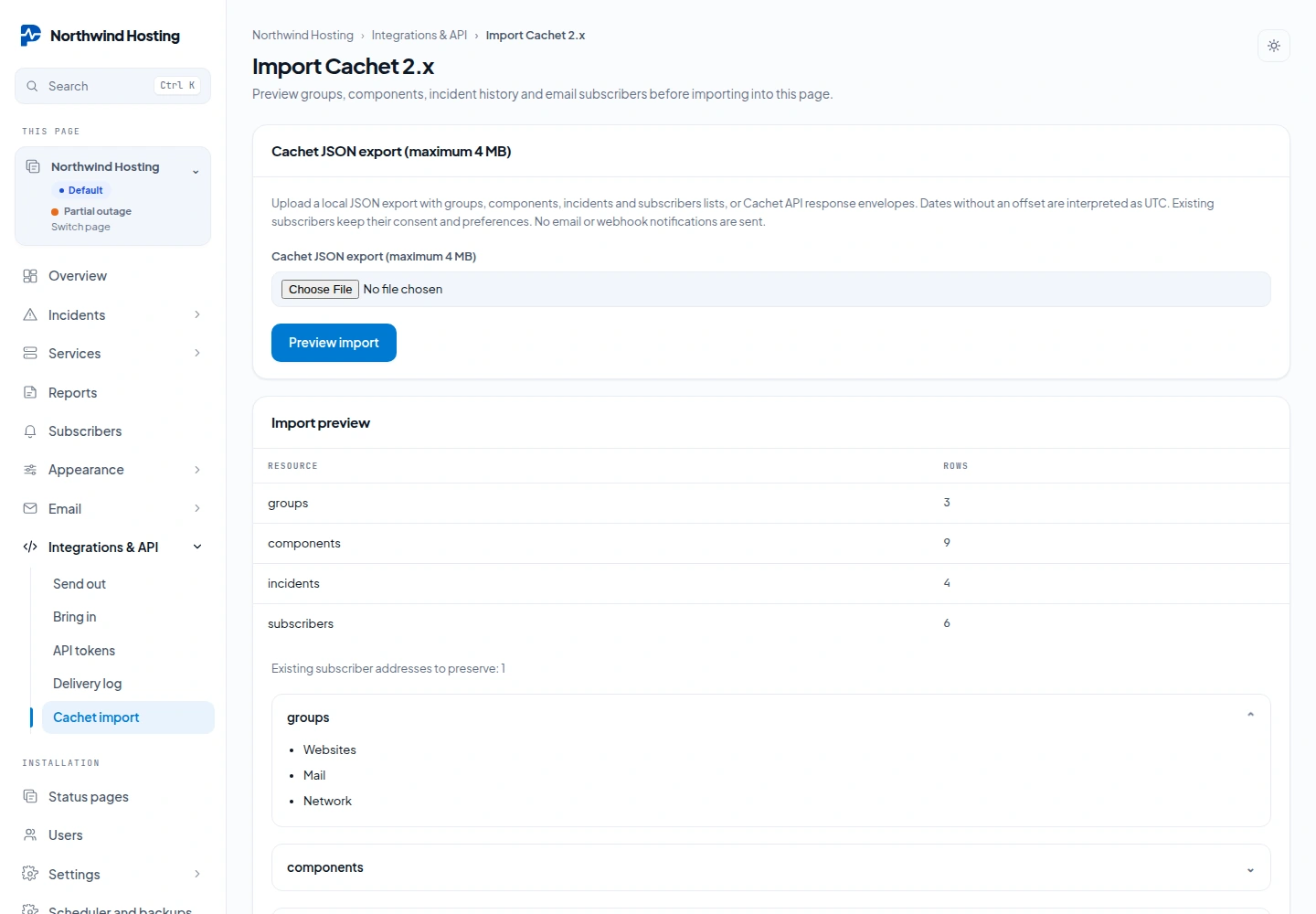
- Choose the file and press Preview import. Pharos checks the whole file and shows how many rows each list has, with the names of the services, components and incidents.
- Read the preview. If it is right, press Import these records. The preview is kept for 20 minutes and can be used once; after that, upload the file again.
The import runs as one database transaction: it is applied completely or not at all.
What it does with your data
| In the file | In Pharos |
|---|---|
| Ids | Only used to connect rows inside the file. Everything gets a new id in Pharos, and a component or group that a row refers to must be in the same file. |
| Visibility | Kept for groups and incidents. A row that does not say it is visible is imported as not visible. |
| Dates | A date without an offset is read as UTC. |
| Subscribers | A verified date keeps the consent, so that address needs no new confirmation. An address that already exists on the page is left exactly as it is, opt outs and chosen services included. |
| Existing data | Nothing is overwritten. The import adds services, components and incidents next to what the page already has. |
| Not imported | Checks, settings and users. Cachet has no checks of its own; add them to the components afterwards. |
The same file cannot be imported twice into the same page: Pharos recognises it, also when the order of the rows or the notation of the dates differs, and says This export has already been imported into this page.
From the shell
The command reads a file on the server. Without --apply it only shows the counts and changes nothing:
php artisan pharos:cachet-import /home/you/cachet-export.json --page=2          # dry run
php artisan pharos:cachet-import /home/you/cachet-export.json --page=2 --apply  # import
--page is the id of the status page, the number in the admin address /admin/pages/2/overview. Leave it out to import into the first page.