
Updates
Updated 2026-10-22 · Pharos 1.0.1
php artisan pharos:update --check   # what is available
php artisan pharos:update           # install it
Pharos fetches a signed manifest once an hour. It carries
purpose: pharos-release, which is why a licence key can never be replayed as an
update manifest even though the same key signs both. A release server that cannot be reached
reads as no news, never as an error on a status page.
| Install | How it updates |
|---|---|
| PHP host | The app downloads the release, checks it against the signed checksum, copies the current version into storage/app/backups, replaces its files and migrates. |
| Docker | The host owns the image. The app shows what the host reported and drops a trigger file when you press the button. |
| Neither | The directory is not writable, so update over SSH. |
Your .env, database and uploads are never touched, and a downgrade is refused:
an older build may not survive migrations the current one already ran.
Backups, rollback and retention
Before it replaces anything, Pharos snapshots the version it is about to overwrite: the code, the
installed vendor/ tree, and, on SQLite, a consistent copy of the database taken with
VACUUM INTO so it is safe to copy a live file. On MySQL the files are captured but the
database is not, so keep your own database backups there.
The same snapshots are yours to make and manage under Updates:
- Back up now: take a snapshot by hand before a manual change. Installing a release, making a backup and rolling back each open a dialog that shows every step as it happens (download, checksum, unpack, backup, install, migrations) with a live file count.
- Download: pull any snapshot down as a single
.zip. - Roll back: put a kept snapshot back over the running install. What it replaces is itself backed up first, so a rollback is never a one-way door. Because the database can come back with it, you are signed out and sign in again with the password you had at the time of that snapshot.
- Delete: remove one you no longer want.
How many are kept is the Backups kept setting under Settings → General:
the newest N are held and the oldest is removed when a new one is made. 0 keeps every snapshot.
The one you would roll back to is never pruned out from under you.
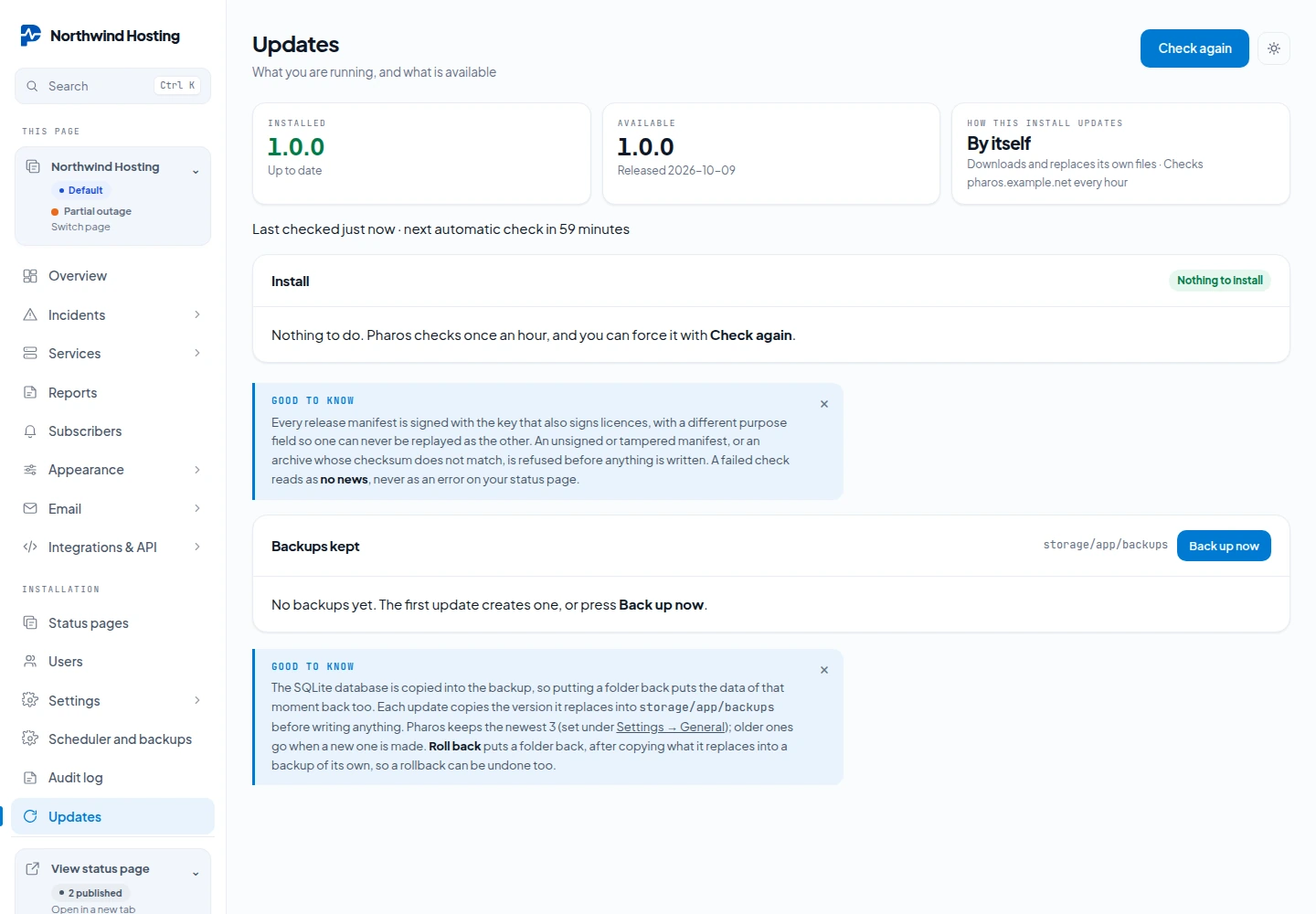
These snapshots stay on the same server as Pharos. They protect you from a bad update, not from losing the server. For a daily copy somewhere else, see Remote backups.
Updating to 1.0
1.0 installs like any other release: from the Updates screen, with php artisan pharos:update, or by pulling the new image on Docker. The database migrations run by themselves. After a manual update (unpacking the zip or a git pull by hand), run php artisan migrate --force yourself. This is what changes on an existing installation:
- Uptime for reported services starts counting. Services fed through the API or Uptime Kuma get uptime from the moment of the update. Earlier days stay grey. See Uptime.
- Services with the old source "api" now read "webhook". Nothing else about them changes.
- Raw check results older than 40 days are removed, once a day and in small batches. The uptime figures do not change.
- The log is one file per day,
storage/logs/laravel-YYYY-MM-DD.log, and the last 14 days are kept. An existinglaravel.logstays where it is and can be deleted. Set LOG_DAILY_DAYS to keep more or fewer days, or LOG_STACK=single for one file as before. - Subscribers keep receiving everything. Choosing services is something they do themselves, see Service subscriptions.
- The cron line does more, but it stays the same line. See The one cron line.
An update never touches .env, so the settings that came with 1.0 are not added for you. All of them are optional. Add the ones you need by hand:
| Setting | For |
|---|---|
PHAROS_WEB_CRON_TOKEN | Web cron |
PHAROS_PROBE_HUB, PHAROS_PROBE_TOKEN | An installation that works as a probe location |
PHAROS_WEBAUTHN_ORIGIN | Passkeys, when APP_URL has a folder in it |
PHAROS_CHECK_RESULT_DAYS | How long raw check results are kept, 40 by default |
LOG_DAILY_DAYS, LOG_STACK | How many daily log files are kept, 14 by default, or one single file |