
Service subscriptions
Updated 2026-10-09 · Pharos 1.0.0
A subscriber does not have to receive everything. The Get notified form on the status page has a box All services, ticked by default, and a list under Choose services. Someone who only cares about a few services unticks the box and picks them from the list.
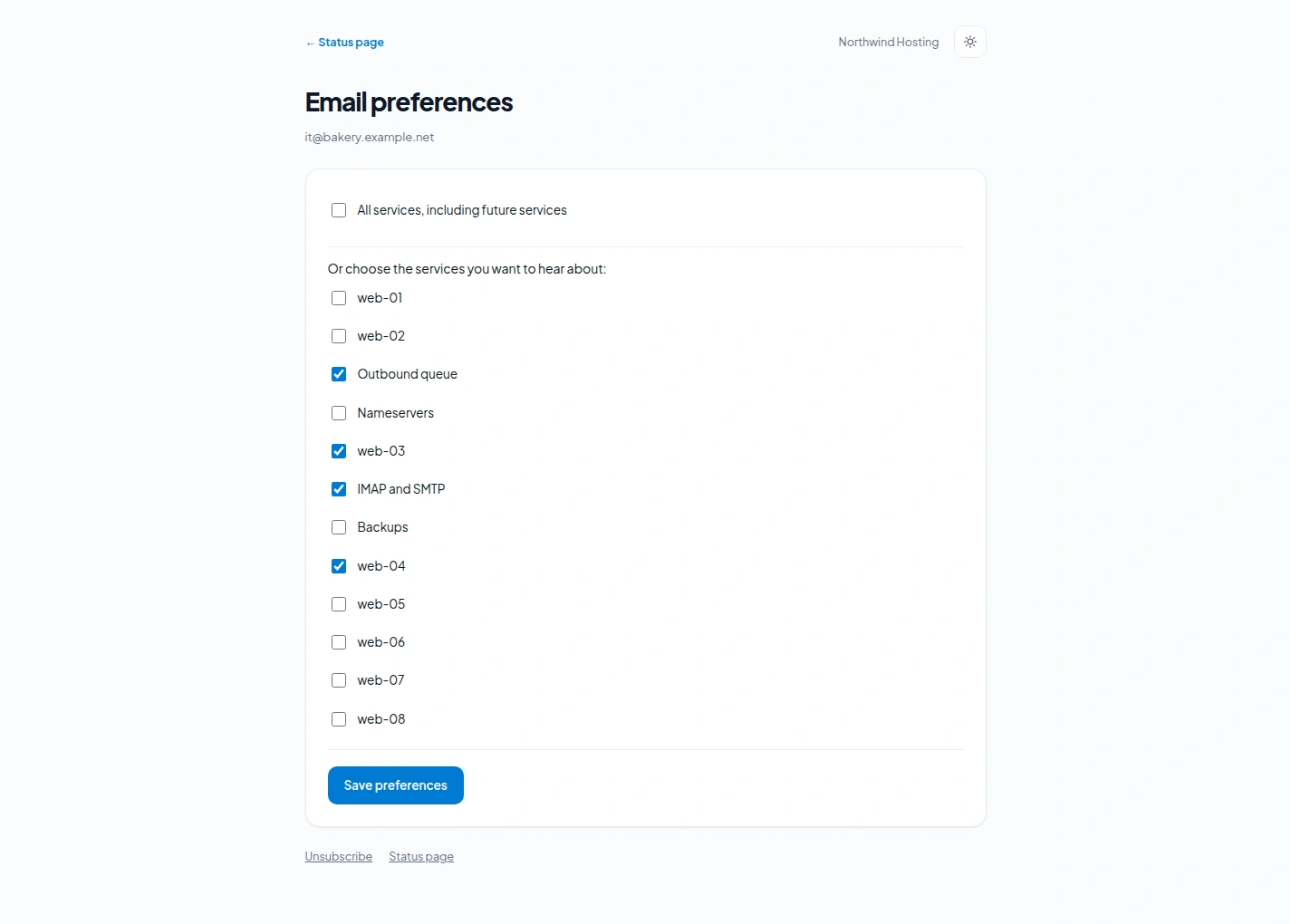
- All services includes services you add later.
- The list holds the public components of the page. It is only offered when the Services list section of the page is switched on.
- Confirmation works as before: nothing is sent until the address has clicked the link in the confirmation mail.
- People who subscribed before 1.0 keep receiving everything. Nothing changes for them until they change it themselves.
Changing the choice later
The page a subscriber lands on after confirming has a link Manage service preferences, and every incident and maintenance mail has Manage subscription in its footer, next to the unsubscribe link. Both open the Email preferences page for that address: tick All services, including future services or choose the services, then Save preferences.
The link is signed and belongs to one address. Signing up again through Get notified with an address that is already active changes nothing, so an outsider cannot alter what somebody else receives.
What a subscriber then receives
| Incident or maintenance window | All services | Chosen services |
|---|---|---|
| Affects a chosen component | Mailed | Mailed |
| Affects only other components | Mailed | Not mailed |
| Has no components attached | Mailed | Mailed |
An incident without components is a general notice, so it goes to everyone. Attach the affected components to an incident if you want the choice of your subscribers to count.
Editing the mail templates? The tag {preferences} holds the link to the preferences page of the subscriber, for the incident and maintenance mails. You do not need it for the footer link: that one is always there.