
Subscribers
Updated 2026-10-22 · Pharos 1.0.1
Visitors can ask to be told when something breaks. The Get notified button on the status page takes an address and sends a confirmation link that is good for 24 hours; nothing is mailed to an address that has not clicked it. From then on every update you post on a public incident goes out as one e-mail, and so does every maintenance announcement, with an unsubscribe link in every mail and a one-click unsubscribe header for mail clients that offer one. Opening the unsubscribe link shows a page with an Unsubscribe button first, so a mail scanner that follows links cannot unsubscribe anyone.
A subscriber follows all services or only the ones they choose. See Service subscriptions. Mails go out in the language of the status page, see Languages.
Sending runs from the same cron line as the checks (php artisan schedule:run every minute), so posting an update never waits on an SMTP server. Mail leaves through the installation's own MAIL_* settings in .env; Settings → Central mail shows what is configured and sends you a test.
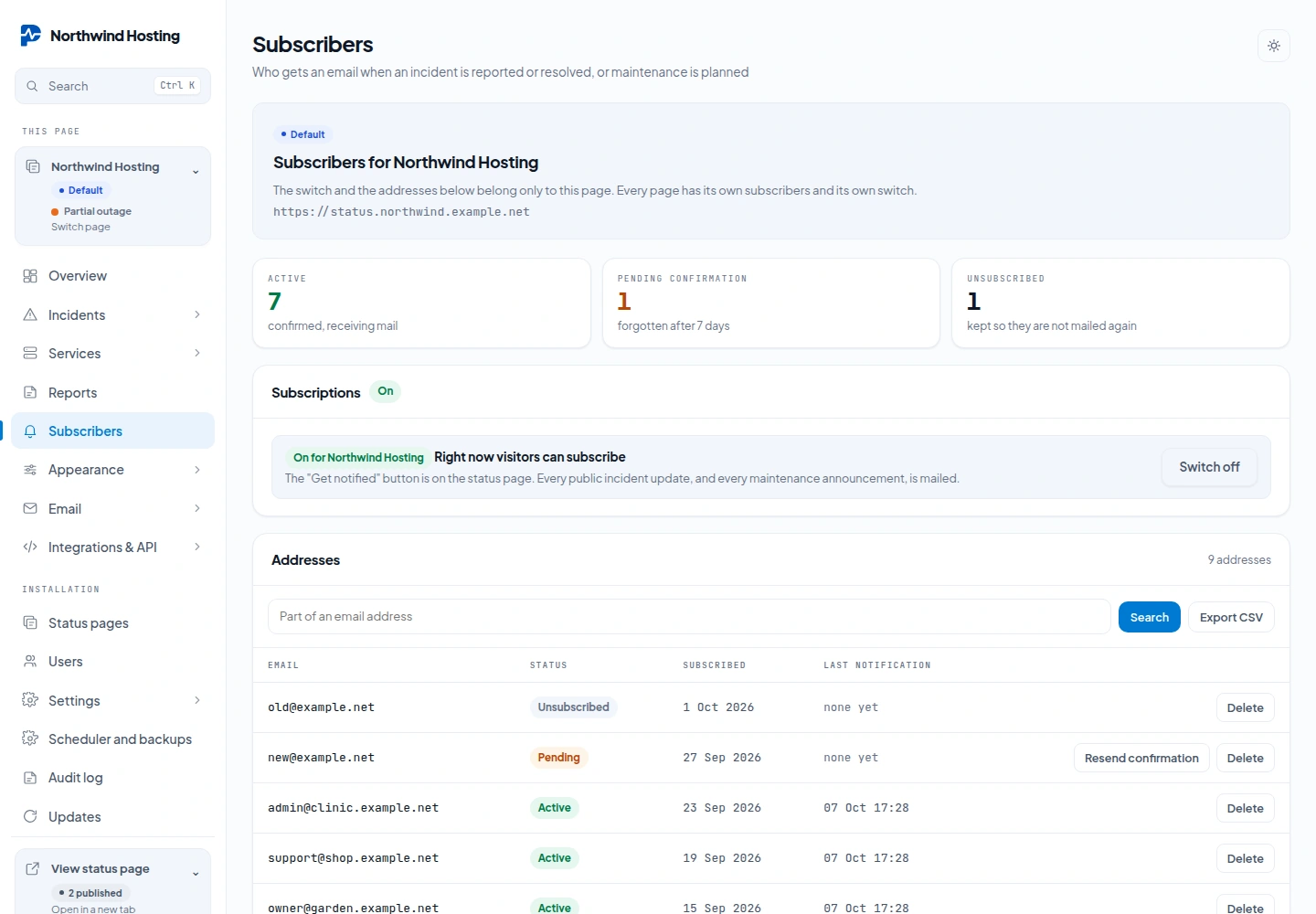
Admin → Subscribers lists who is in, who has not confirmed yet (forgotten after seven days) and who left. Search, export the active addresses as CSV, Resend confirmation to a pending address, or delete an address for a "forget me" request. The switch at the top turns subscriptions on or off for this page; a new page starts with it off.
Subscribers can also be managed over the API: list, add, change the chosen services and delete. That needs a token whose owner administers the page. An address added through the API starts as pending and gets no mail by itself; send the confirmation with Resend confirmation. See API and tokens.
The wording of the five mails (confirmation, incident opened, updated, resolved, and maintenance scheduled) is a subject line and a Markdown body with tags such as {incident}, {status}, {message} and {components}. You edit the body; the frame around it (logo, accent colour, links to the status page and to unsubscribe) is always there. Editing the templates is part of the Brand pack; without it the built-in wording is used and you can still preview it.